
Experience ERP Software Through an Online Demo: My ERP Demo Experience
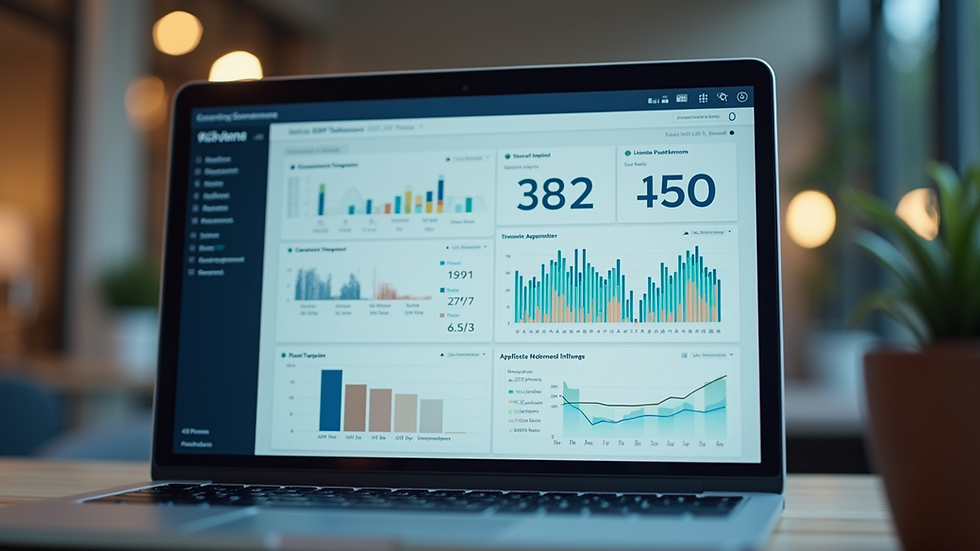
When I first started exploring ERP software for businesses in construction, manufacturing, and retail, I was overwhelmed by the options. How do you know which system fits your needs? The answer is simple: experience it firsthand. That’s where an ERP demo experience comes in. It’s a chance to see the software in action, understand its features, and imagine how it can transform your operations.
In this post, I’ll share why trying an ERP demo is a game-changer. I’ll walk you through what to expect, how to make the most of it, and why it’s especially valuable for businesses in Kerala and the Middle East. Ready to dive in? Let’s get started.
Why an ERP Demo Experience Matters
Choosing ERP software is a big decision. It impacts your daily workflows, team collaboration, and overall business growth. A demo lets you:
See the software live instead of just reading about it.
Test key features relevant to your industry.
Ask questions and get immediate answers.
Evaluate user-friendliness and interface design.
Understand integration capabilities with your existing tools.
For example, in construction, you might want to check how project management and resource allocation work. In manufacturing, inventory control and production scheduling are critical. Retail businesses often focus on sales tracking and customer management. A demo lets you explore these features in real time.

What to Expect During an ERP Demo Experience
When you sign up for an ERP demo, you’ll usually get a guided tour from a product expert. Here’s what typically happens:
Introduction and Needs Assessment
The expert will ask about your business size, industry, and pain points. This helps tailor the demo to your needs.
Feature Walkthrough
You’ll see how the software handles core functions like finance, inventory, procurement, and reporting.
Hands-On Interaction
Some demos allow you to try the software yourself. This is your chance to click around and explore.
Q&A Session
Ask anything—from pricing to customization options.
Next Steps
You’ll get information on implementation timelines, support, and training.
This process is designed to give you a clear picture of how the ERP system fits your business. Don’t hesitate to ask for specific scenarios or workflows you want to see.
How to Make the Most of Your ERP Demo Experience
To get the best from your demo, preparation is key. Here are some tips I found useful:
List Your Priorities
Write down the features and problems you want the ERP to solve. This keeps the demo focused.
Involve Your Team
Invite colleagues who will use the software daily. Their input is invaluable.
Prepare Questions
Think about integration, scalability, user support, and mobile access.
Take Notes
Document what you like and what concerns you.
Request a Trial
If possible, ask for a free trial after the demo to test the software in your environment.
Remember, this is your chance to explore without pressure. The more engaged you are, the clearer your decision will be.

Why Businesses in Kerala and the Middle East Should Try an Online ERP Software Demo
Businesses in Kerala and the Middle East face unique challenges. From managing diverse supply chains to handling multi-currency transactions, your ERP needs to be robust and flexible. An online erp software demo offers several advantages:
Convenience
You can join from anywhere without travel or scheduling hassles.
Localized Support
Many ERP providers understand regional business practices and compliance requirements.
Industry-Specific Features
Construction, manufacturing, and retail sectors have tailored modules that you can explore during the demo.
Scalability
See how the software grows with your business, whether you’re expanding in Kerala or the Middle East.
Cost-Effectiveness
Avoid costly mistakes by testing before buying.
By experiencing the software online, you save time and get a realistic feel for how it will work in your business context.
What I Learned From My ERP Demo Experience
After attending several demos, I realized that the right ERP software does more than automate tasks. It simplifies technology and streamlines operations. Here are some key takeaways:
User Interface Matters
A clean, intuitive design reduces training time and errors.
Customization is Crucial
Your business is unique. The ERP should adapt, not force you to change your processes.
Integration is a Must
Look for software that connects with your existing tools like accounting, CRM, or supply chain systems.
Support and Training
Good vendors offer ongoing help and resources to ensure smooth adoption.
Data Security
Especially important for businesses handling sensitive client and financial information.
If you’re in construction, manufacturing, or retail, these points will help you evaluate any ERP system effectively.
Taking the Next Step After Your ERP Demo Experience
Once you’ve completed your demo, what’s next? Here’s a simple plan:
Review Your Notes
Compare features, ease of use, and vendor responsiveness.
Discuss with Your Team
Gather feedback and address any concerns.
Request a Pilot or Trial
Test the software with real data and workflows.
Evaluate Costs and ROI
Consider implementation, licensing, and potential savings.
Plan Implementation
Work with the vendor to set timelines and training schedules.
Remember, choosing ERP software is an investment in your business’s future. Take your time and use the demo experience as a foundation for a confident decision.
Exploring ERP software through an online demo is a smart, practical way to find the right fit for your business. It’s hands-on, informative, and tailored to your needs. Whether you’re managing construction projects in Kerala or running retail operations in the Middle East, this experience can simplify your technology choices and set you on the path to seamless growth. Why wait? Book your online erp software demo today and see the difference for yourself.


Comments